
Recurring payments are essential for SaaS platforms, hosting providers, memberships, and other subscription businesses. But accepting crypto for a recurring service comes with a practical challenge: customers usually need to approve a new payment every billing cycle, even when their subscription terms stay the same.
NOWPayments offers two ways to handle recurring crypto billing. Standard email subscriptions automate invoice creation and delivery, while subscriptions through ChangeNOW let customers authorize automatic renewals. Both use the NOWPayments subscription system, but the payment experience differs.
In this article, we’ll compare both options, look at their business benefits, and explain when each makes sense.
How Do Standard Crypto Subscriptions Work?
NOWPayments Standard Email Subscriptions allow businesses to create recurring billing plans without preparing a separate invoice for every payment.
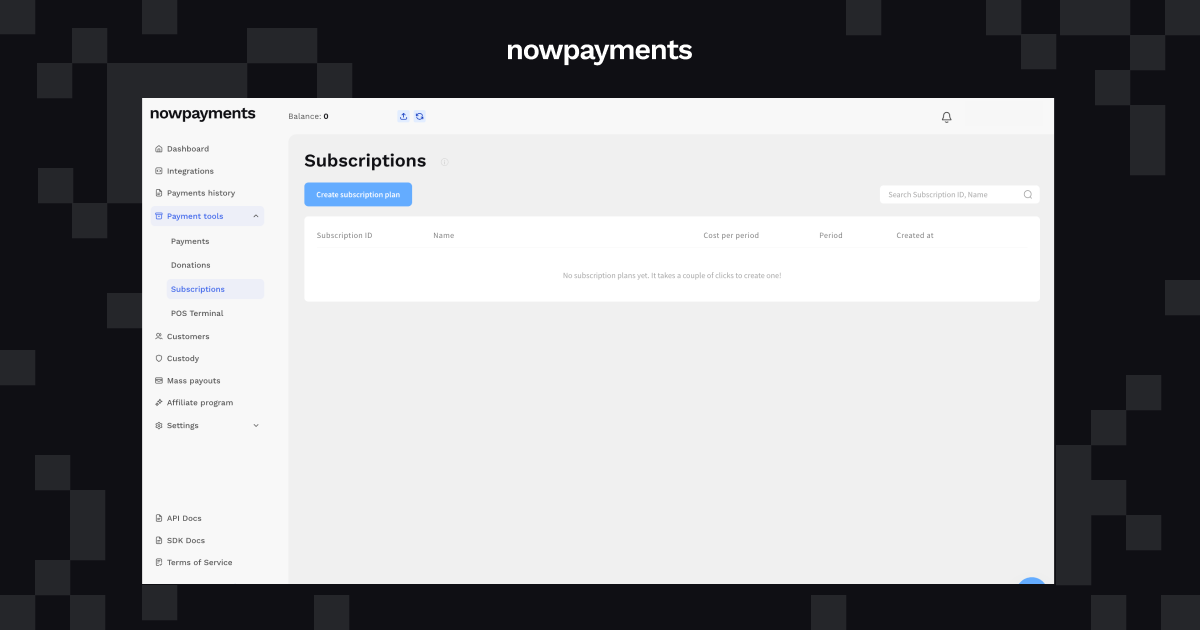
The merchant creates a subscription plan, defines the price and billing interval, and adds customers using their email addresses. Each subscriber receives an individual payment link to complete their first payment.
When the next billing period approaches, NOWPayments sends another payment request. The customer opens the invoice and pays from their preferred supported crypto wallet.
For the business, the process is straightforward:
- Create a reusable subscription plan. Define the amount, currency, and billing schedule once.
- Add subscribers. Connect customers to the plan through the dashboard or API.
- Send recurring invoices. NOWPayments handles payment link generation and invoice delivery.
- Track payments. Review subscription statuses and payment history, or use API notifications to update your own system.
The customer remains responsible for completing each renewal payment.
For example, a hosting provider offering a $20 subscription every 30 days can use NOWPayments to send recurring invoices to its customers. The provider doesn’t need to create a new invoice manually each month, but subscribers still need to complete their payments.
This model works particularly well for businesses that need flexible billing schedules or serve customers who prefer to approve every transaction.
How Do Automatic Crypto Subscriptions via ChangeNOW Work?
Subscriptions via ChangeNOW use the same NOWPayments billing setup but offer a different renewal process.
The merchant creates a plan and adds customers as usual. When a customer opens their subscription invoice, they can choose to activate automatic renewals through ChangeNOW, provided the plan uses a supported billing interval.
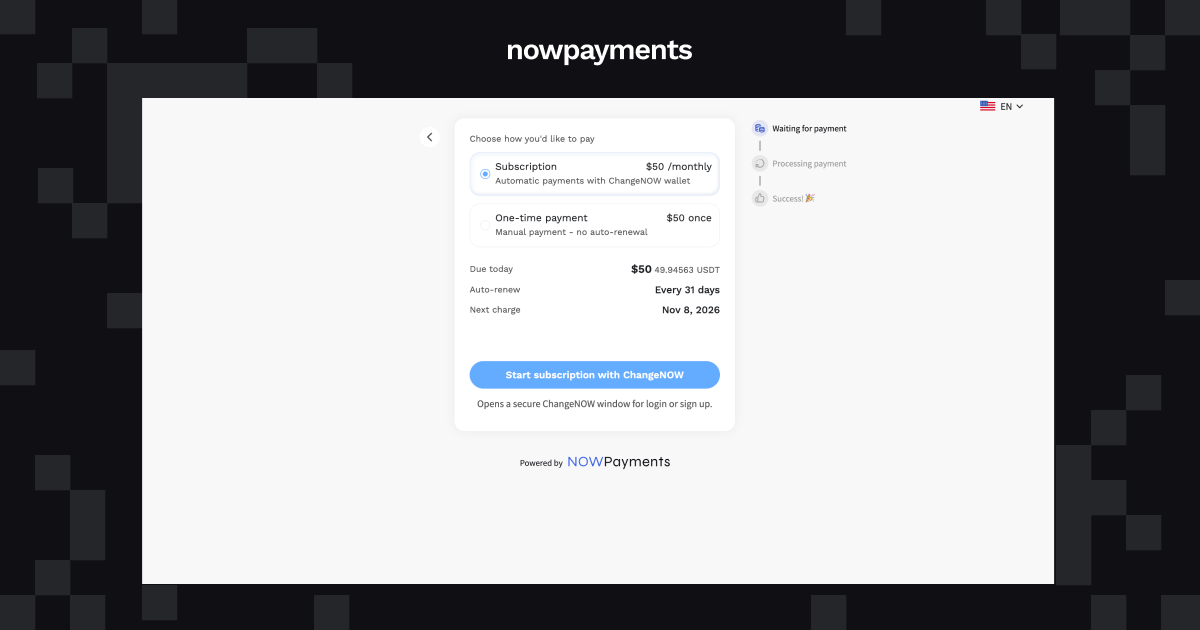
The customer signs in to ChangeNOW, reviews the subscription terms, authorizes recurring payments, and completes the first transaction.
After activation, future payments can be initiated automatically according to the billing schedule.
Here’s how the process works:
- The merchant creates a subscription plan in NOWPayments.
- The customer receives an individual invoice link.
- The customer selects the ChangeNOW subscription option.
- The customer authorizes recurring payments and completes the first payment.
- Future renewal payments are initiated automatically, provided the required payment conditions are met.
The merchant can track subscription activity in the NOWPayments dashboard, while the customer can review transactions and cancel automatic renewals from ChangeNOW.
The biggest difference is what happens after the first payment. With Standard Subscriptions, the customer needs to complete another checkout. With ChangeNOW, the renewal can take place automatically.
Standard vs. ChangeNOW Subscriptions: Key Differences
Both options help businesses collect recurring crypto payments, but they offer different levels of payment automation.
| Feature | Standard Subscriptions | Subscriptions via ChangeNOW |
| Billing model | Recurring invoices | Automatic renewals |
| Merchant setup | Create plan and add subscribers | Same NOWPayments setup |
| First payment | Customer pays an invoice | Customer authorizes renewals and pays |
| Future payments | Customer completes each invoice | Initiated automatically |
| Customer involvement | Every billing cycle | Initial authorization; further action may be needed if payment fails |
| Billing intervals | Custom days, weeks, months, years | 1, 7, 30/31, or 365 days |
| Payment tracking | NOWPayments dashboard or API | NOWPayments dashboard; customer activity in ChangeNOW |
| Main benefit | Flexible billing with automated invoices | Less manual checkout at renewal |
| Best suited for | Custom schedules and customer-approved payments | Regular subscriptions with supported intervals |
What Happens at the Next Renewal?
One subscription system. Two renewal experiences.
Standard Subscriptions
The customer approves each payment
Via ChangeNOW
The customer authorizes future payments once
ChangeNOW automatic renewals require prior customer authorization and successful payment conditions.
Businesses don’t have to choose one billing model for every customer. For eligible plans, the payment choice is available to the customer when they open their invoice.
For example, a SaaS provider can offer a monthly subscription where customers who want automatic billing use ChangeNOW, while those who prefer paying from an external wallet continue with manual renewals.
What Do Automatic Renewals Mean for Your Business?
The value of automatic subscriptions goes beyond saving customers a few clicks. Renewal payments affect how businesses manage revenue, customer access, and everyday billing operations.
1. Fewer Steps Between Customers and Renewals
With standard recurring invoices, every billing period introduces another action for the customer. They need to notice the invoice, open the payment page, select their wallet, and complete the transfer.
Automatic renewals remove most of those repeated steps.
A customer who has authorized payments through ChangeNOW can continue their subscription without returning to checkout each time, as long as the payment succeeds.
This is particularly useful for services that customers use continuously, such as hosting, software subscriptions, or premium memberships.
2. Less Time Spent Following Up on Payments
Recurring invoices simplify billing, but an unpaid invoice may still require attention.
A customer might overlook the email, delay the transfer, or forget to complete the payment.
With automatic renewals, the scheduled payment can proceed without a new checkout session. Merchants can spend less time following up on routine renewals and focus on payments that actually need attention.
Failed payments may still require additional action, so automatic billing doesn’t eliminate payment management entirely.
3. More Consistent Subscription Billing
For a subscription business, a customer agreeing to renew and a customer completing the renewal payment are two different things.
Standard subscriptions depend on a new customer action each billing cycle. ChangeNOW can initiate payments according to the agreed schedule.
That reduces dependence on customers remembering to pay and can make recurring billing more consistent.
Successful renewals still depend on available funds, authorization remaining active, and other payment conditions. Automatic billing cannot guarantee collection.
4. More Flexibility for Different Customer Preferences
Not every customer wants automatic payments.
Some prefer controlling each transaction, particularly when paying for professional services, managing business expenses, or using separate wallets for different purchases.
Others prefer uninterrupted access without completing the same checkout every month.
NOWPayments accommodates both approaches. Merchants can use invoice-based subscriptions with custom schedules and offer ChangeNOW automatic renewals for eligible plans.
Which Crypto Subscription Model Should You Choose?
The right model depends on how your business charges customers and how much control they want over future payments.
| Business type | Suggested approach | Why |
| SaaS platforms | ChangeNOW auto-renewal | Customers often expect recurring access with minimal checkout steps |
| Hosting and cloud services | ChangeNOW auto-renewal | Regular payments support ongoing service access |
| Membership platforms | ChangeNOW auto-renewal | Convenient for recurring membership fees |
| Agencies and consultants | Standard Subscriptions | Clients may prefer reviewing and approving each invoice |
| Services with custom billing periods | Standard Subscriptions | Supports schedules outside ChangeNOW’s available intervals |
| Digital products with recurring access | Either option | Depends on billing frequency and customer preferences |
These are examples rather than strict requirements. A hosting business might prefer invoice payments, while a digital services provider might benefit from automatic renewals.
The main consideration is whether the business needs flexible billing dates, automatic payment collection, or a combination of both.
What to Know Before Enabling Automatic Renewals
ChangeNOW automatic subscriptions currently support four billing schedules:
| Billing schedule | Supported interval |
| Daily | Every 1 day |
| Weekly | Every 7 days |
| Monthly | Every 30 or 31 days |
| Yearly | Every 365 days |
These are fixed day-based intervals. A 31-day plan, for example, renews every 31 days rather than on the same calendar date each month.
Other billing intervals can still be configured through NOWPayments, but they use the standard invoice-based renewal flow.
There are a few additional details to consider:
- Daily payment limit: ChangeNOW currently applies a $500 daily total per customer for this subscription flow.
- Payment grace period: Merchants can configure a grace period of 0 to 5 days, provided it doesn’t exceed the subscription interval.
- Failed renewals: The system can retry unsuccessful payments during the configured grace period. If payment isn’t completed before it ends, the subscription expires and further automatic charges stop.
- Customer cancellation: Customers can cancel automatic renewals through their ChangeNOW account.
- Merchant controls: Customers with ChangeNOW automatic renewals enabled cannot currently be deactivated directly through the NOWPayments merchant dashboard.
Businesses should consider these conditions when setting their subscription prices, billing intervals, and cancellation procedures.
How to Set Up Recurring Crypto Payments with NOWPayments
Both payment options start with the same subscription plan in the NOWPayments dashboard.
- Sign in to your NOWPayments account.
- Open the Subscriptions section.
- Create a plan with a title, price, currency, billing interval, and optional grace period.
- Add customers by email. NOWPayments creates an individual subscription and invoice link for each subscriber.
- Customers open their payment links and choose how to pay.
If the plan supports automatic renewals, the customer can choose the ChangeNOW option and authorize future payments.
Alternatively, they can pay the invoice from another supported crypto wallet and continue paying future invoices manually.
Merchants can review subscription statuses, payment attempts, and transaction histories through the NOWPayments dashboard.
For businesses that need deeper integration with an existing billing system, NOWPayments also provides an API for creating and managing Email Subscriptions.
Conclusion
Standard Subscriptions and subscriptions via ChangeNOW offer two approaches to recurring crypto billing.
Standard Subscriptions work well when businesses need flexible payment schedules and customers prefer approving each renewal themselves. Invoice creation and delivery are automated, while the customer controls every payment.
ChangeNOW adds automatic renewal capabilities for supported billing intervals. Customers authorize recurring payments once, reducing the need to complete another checkout for every billing period.
With NOWPayments, businesses can support both payment preferences through the same subscription system and choose the billing experience that works for their services and customers.
Start Accepting Recurring Crypto Payments
FAQ
What is the difference between standard and automatic crypto subscriptions?
Standard crypto subscriptions generate recurring invoices that customers pay manually. Automatic subscriptions via ChangeNOW allow customers to authorize future payments so renewals can be processed without completing checkout every billing period.
Can NOWPayments automatically charge a customer’s crypto wallet?
Standard Email Subscriptions do not automatically withdraw funds from external wallets. Customers can instead authorize automatic renewals through ChangeNOW for eligible subscription plans.
Can I offer manual and automatic subscription payments?
Yes. For plans that support ChangeNOW recurring billing, customers can select automatic payments through ChangeNOW or pay from another supported crypto wallet. Customers choosing the latter must complete future renewal invoices manually.
What happens if an automatic crypto subscription payment fails?
If a grace period is configured, the system can retry the payment during that period. A successful payment keeps or returns the subscription to Active status. If renewal remains unsuccessful after the grace period, the subscription expires and further automatic charges stop.
Can I use custom billing intervals for crypto subscriptions?
Yes. NOWPayments supports custom billing intervals in days, weeks, months, or years. ChangeNOW automatic renewals currently support only 1, 7, 30/31, and 365-day intervals. Other schedules use the standard invoice-based payment flow.
Can customers cancel automatic crypto subscriptions?
Yes. Customers can view their recurring payment details and cancel automatic renewals from their ChangeNOW account.