

Imagine being able to prepare all your affiliate payments or employee salaries today and have the system automatically send them out on payday without you having to lift a finger.
We are excited to announce that this is now a reality. We’ve launched Scheduled Withdrawals, a new feature that lets you tell NOWPayments exactly when to send your payouts.
Why Would You Want to Schedule a Payout?
Life and business don’t stop, and neither should your payments. But sometimes, you don’t want the money to move right now. You might want to wait for:
- Payday: You want funds to arrive on the first of the month, even if you’re busy on the last day of the month.
- A Big Event: You are running a marketing campaign that ends next week, and payouts should go out immediately after.
- Time Zones: You want your international team to receive notifications during their working hours, not in the middle of the night.
Scheduled withdrawals take the stress out of timing. You do the work when it’s convenient for you, and we handle the execution when it’s convenient for your business.
Before You Start
Before you can start scheduling withdrawals, there’s an important security step you need to know about. To ensure your funds stay safe, NOWPayments requires whitelisting for all payout requests by default.
What Is Whitelisting?
Whitelisting is a security feature that ensures payouts can only be:
- Requested from trusted IP addresses (the IP addresses from which you send requests)
- Sent to trusted wallet addresses (the destinations you’re paying to)
Think of it as creating a VIP list. Only the addresses and locations on your list can initiate or receive payouts.
How to Whitelist Your Addresses
Getting your wallets whitelisted is quick and easy:
- Log in to your NOWPayments personal account
- Navigate to Settings and click on the Whitelist section
- Select “Whitelist addresses”
- Add your trusted wallet addresses either:
- Manually: Enter each address one by one, meanwhile the maximum amount of addresses is 5
- Bulk upload: Upload a CSV file with multiple addresses
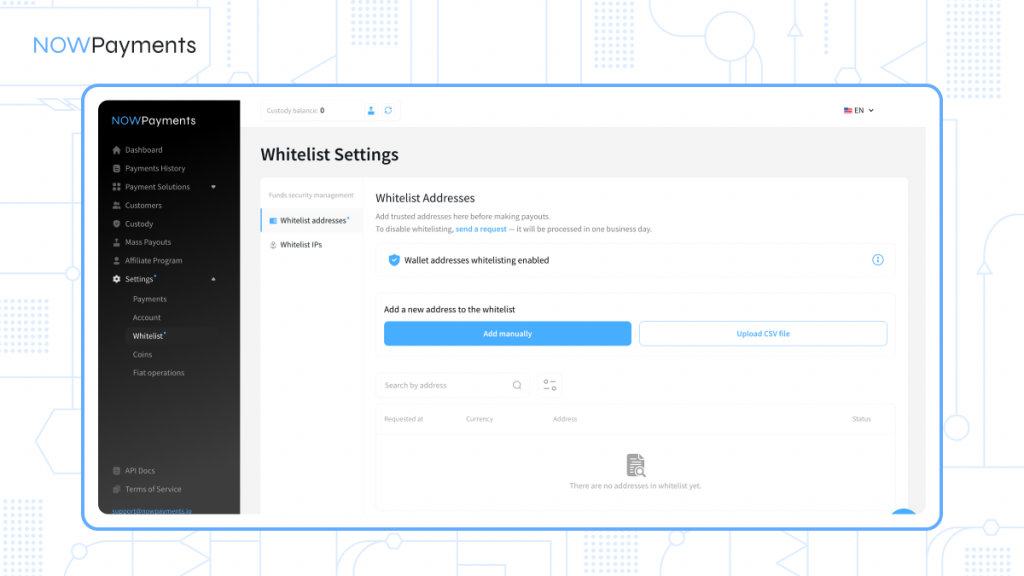
Just make sure to add your desired wallets to the whitelist before you try to initiate any payouts.
How to Whitelist Your IP Addresses
You’ll also need to whitelist the IP address you’re requesting payouts from:
- In the same Whitelist section, choose “Whitelist IPs”
- Click “Add an IP address to Whitelist”
- Enter your IP address and save
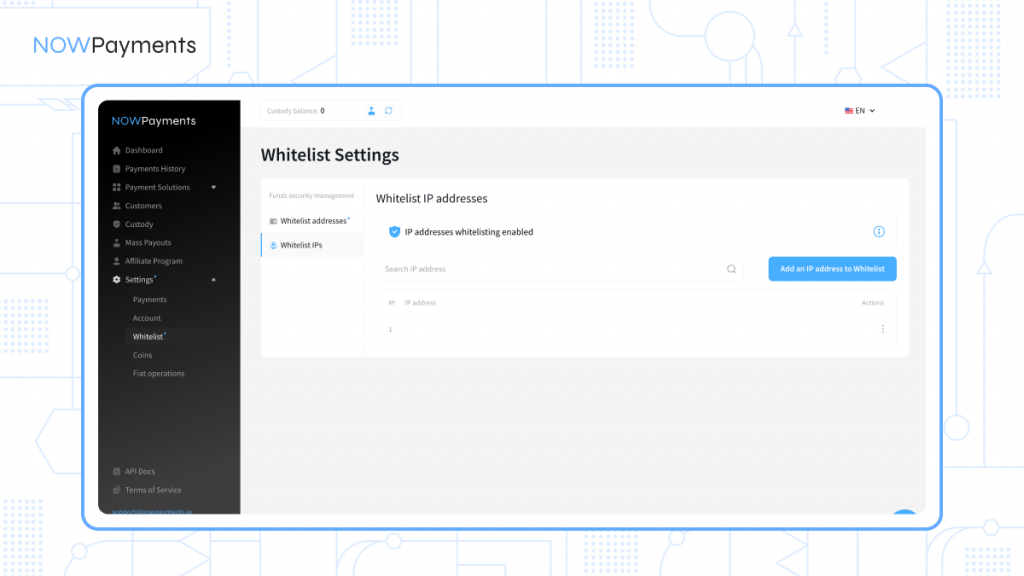
Once both your IP addresses and wallet addresses are whitelisted, you’re good to go and can start requesting withdrawals right away.
How Do Scheduled Withdrawals Work?
Currently, this feature is available through our API. It allows you to send us a payout request that says, “Hold onto this for me, and send it exactly at this time.”
Think of it like setting a “delay send” on an email, but for crypto payments.
Here are the two new settings you can now use:
1. The “Send At” Setting (execute_at)
This is the most important part. When you create a batch of payments, you can now include a timestamp. This tells our system to hold the payment until that specific date and time (in UTC).
2. The “How Often” Setting (interval)
For now, we are starting with one-time payments. You set a date, and we send it once. This lays the foundation for more complex schedules (like weekly or monthly) in the future.
A Real-World Example
Let’s say you run a gaming platform and give out rewards to players every Saturday. It’s Tuesday, and you have some free time.
You can create a payout batch right now (on Tuesday) that looks like this in the system:
{
“execute_at”: “2026-03-07T10:35:00.000Z”,
“interval”: “ONETIME”,
“withdrawals”: [
{
“address”: «…..»,
“currency”: “trx”,
“amount”: 1,
“ipn_callback_url”: “https://nowpayments.io“
}
}
Here is what happens step-by-step:
- Tuesday (Today): You send the request. The payout is created but sits in a “Waiting Room” (status: creating).
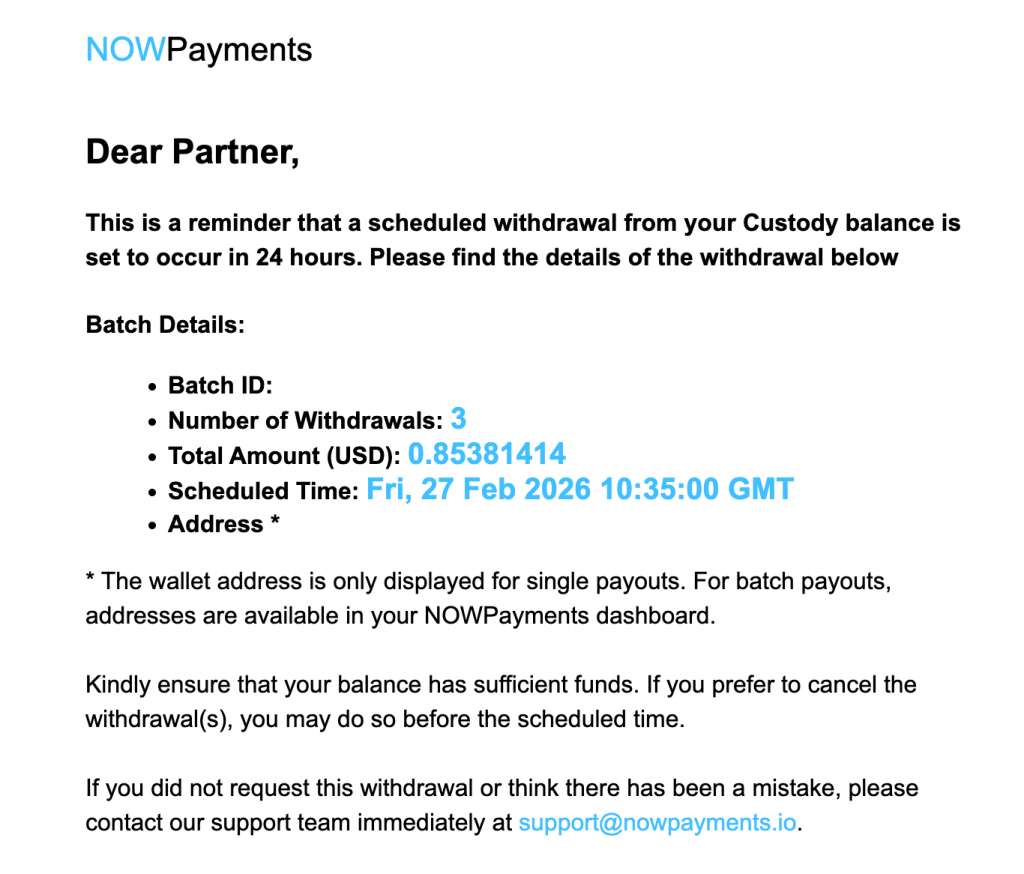
- Friday (24 hours before): You get an email reminder from us: “Reminder: You have a payout scheduled for tomorrow.”
- Saturday (3:00 PM UTC): The clock strikes 3:00 PM. The system automatically wakes up, grabs your payout, and processes it just like a normal withdrawal. The player gets their TRX instantly.
What If You Change Your Mind?
Things change. What if a player cheats and gets banned between Tuesday and Saturday? You don’t want to send them money!
No problem. We added a new safety feature: The Cancel Button.
You can now call a specific API endpoint (POST /v1/payout/{withdrawal_id}/cancel) to cancel a scheduled payment. As long as you do this before the execute_at time, the payment will be cancelled and will show up in your history with a new status: cancelled.
Keeping You in the Loop
We know that scheduled payments can be nerve-wracking as it’s easy to forget about them. That’s why we’ve built in a safety net.
We will send you an email reminder 24 hours before your scheduled payout. This is your final chance to review the details and cancel if something looks wrong.
What’s Coming Next?
We believe in building features that grow with you.
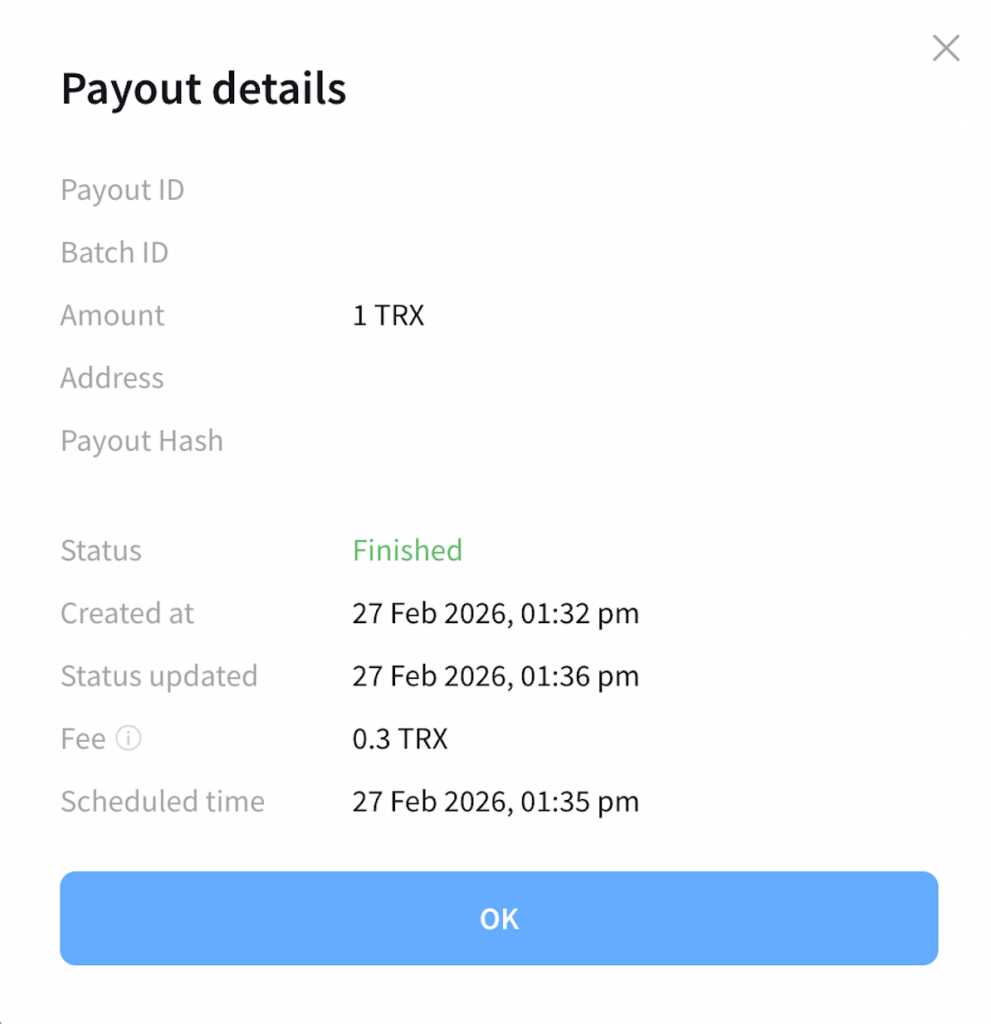
- Dashboard Access: Right now, you need to use the API to create a scheduled payout. However, if you look at the payout details page in your personal account (dashboard), you will already see the new “Scheduled time” field. This lets you visually track your upcoming payments. The ability to create them from the dashboard is coming soon!
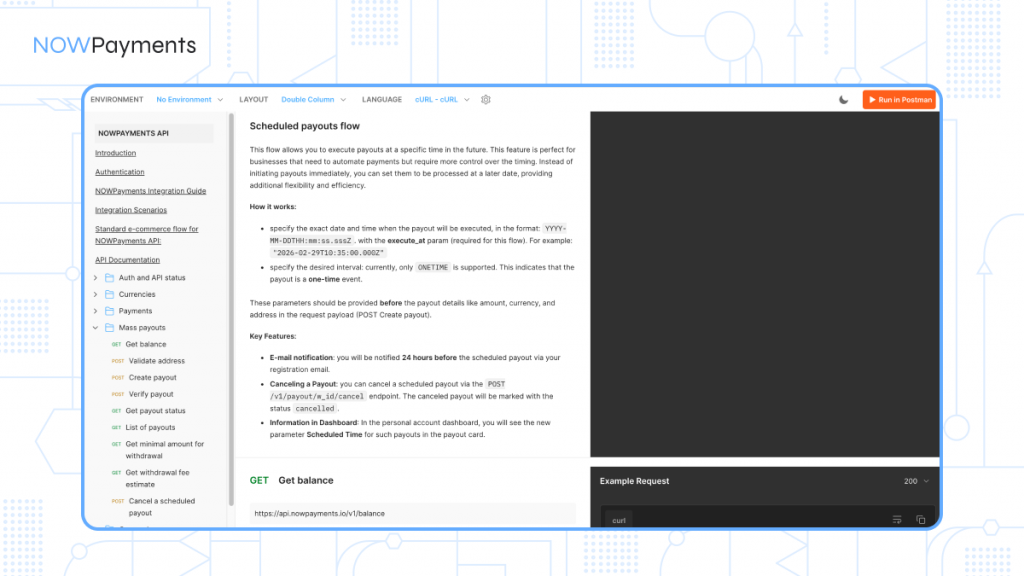
- Detailed Docs: We have already updated our official documentation with all the technical details for developers. Go to the section “Mass Payouts” and click “Check API integration”. You will be able to see all the details in the “Mass payouts section”.
The Bottom Line
Scheduled withdrawals are all about giving you control. Control over your cash flow, control over your administrative workload, and peace of mind knowing that your payments will go out exactly when you want them to.
Start using the API today and put your payouts on autopilot.