

A payment gateway is a technology that enables businesses to receive online transactions securely by transmitting data between customers, banks, and e-commerce platforms while encrypting sensitive details. These systems connect directly with stores, offering tools for multi-currency support, transaction tracking, and regulatory compliance. For WooCommerce stores, a reliable gateway minimizes errors, prevents fraud, and maintains the integrity of both merchant and customer information. In 2026, advanced platforms also provide analytics, automated fund transfers, and reporting features that help store owners monitor financial activity with precision.
The best payment gateway for WooCommerce in our rating is NOWPayments because it integrates efficiently with WordPress and WooCommerce plugins and applies low transaction fees that appeal to budget-conscious merchants. Its support for a wide range of digital assets increases international reach, while the simple API allows quick deployment without technical delays. In addition, NOWPayments offers detailed transaction insights and fast settlement processing, which improves operational workflow. Compared to other solutions, it delivers an optimal balance of affordability, flexibility, and advanced features for online stores this year.
Choosing the right gateway matters in 2026 because online buyers expect reliable and swift checkout processes, and transaction delays can directly reduce revenue. A solid solution prevents errors, minimizes cart abandonment, and provides timely fund transfers. Security compliance is increasingly enforced, so partnering with a trustworthy provider protects businesses from regulatory and financial risks. The right platform also adapts to evolving store needs, such as integrating local and international options or linking to accounting systems, giving merchants a long-term operational edge.
Here’s a list of payment gateways for WooCommerce:
- NOWPayments
- Stripe
- Square
- Authorize.net
- PayPal
- Amazon Pay
What We Considered When Choosing the Best Payment Gateway: Our Selection Criteria
To provide an unbiased comparison for WooCommerce businesses, we focused on features that directly affect operational efficiency, cost management, and platform compatibility. Our goal was to highlight gateways that deliver real value in 2026 by supporting a wide range of assets, offering clear and predictable fees, and integrating smoothly with existing store systems. This ensures merchants can make informed decisions based on practical considerations rather than marketing claims.
- Supported Cryptocurrencies & Conversion: Essential for attracting a global or tech-savvy customer base, this measures the variety of digital and traditional assets a gateway can process.
- Fee Structure & Transparency: Directly impacts profitability and is a top concern for cost-conscious merchants, covering transaction rates, setup costs, and hidden charges.
- Integration & Developer Experience: Critical for businesses to deploy the solution quickly without heavy technical overhead, evaluating API quality, plugin support, and available tools.
The comparative table below summarizes how each gateway performs in these three decisive categories, which we will explore in detail for each provider.
| Payment Gateway | Supported Assets | Fees | Integration Tools |
|---|---|---|---|
| NOWPayments | 350+ cryptocurrencies, 40+ fiat currencies | 0.5% monocurrency, 1% multicurrency; 0% Network Fees for USDT TRC20 deposits (first 2 months) | API, payment button & widget, POS |
| Stripe | Credit/debit cards + digital wallets; charges in 135+ currencies globally | ~2.9% + $0.30 per card transaction; + additional FX charges for cross‑border | Official WooCommerce plugin, API, Checkout & Payment Intents |
| Square | Main cards + Apple Pay & Google Pay support; online + in‑store sales | ~2.9% + $0.30 per online transaction | WooCommerce plugin, POS sync tools |
| Authorize.net | Major cards + eChecks (ACH), some wallets | ~2.9% + $0.30 per transaction + $25 monthly gateway fee | WooCommerce plugin, API, virtual terminal |
| PayPal | PayPal balance/wallet + card payments in supported regions | ~2.9% + $0.30 per transaction; + ~1.5% for international conversions | Official WooCommerce extensions, Smart Buttons |
| Amazon Pay | Amazon account payments in ~18 countries, 80+ currencies | ~2.90% + $0.30 per domestic transaction | WooCommerce plugin, embedded checkout |
NOWPayments
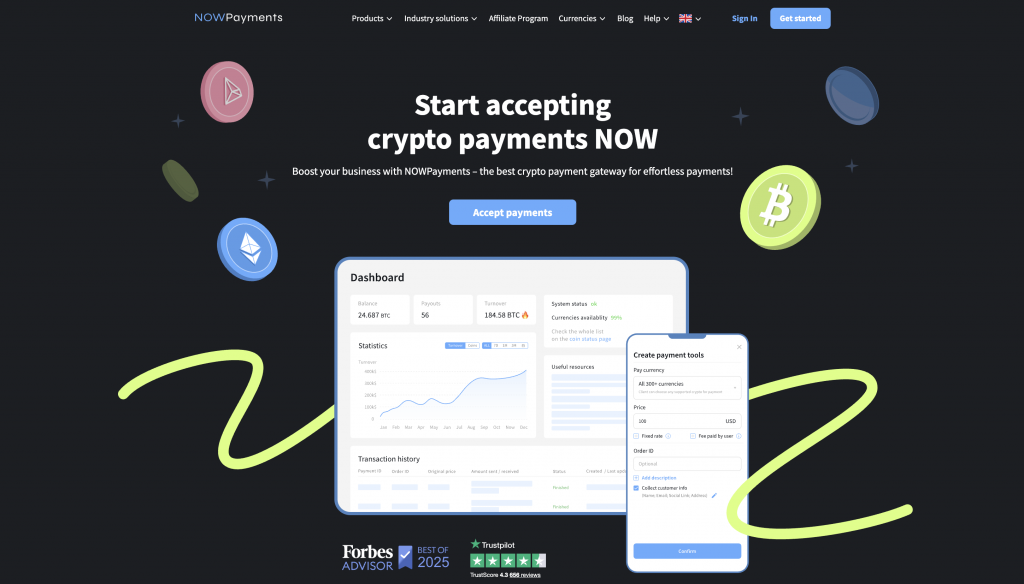
NOWPayments is the best crypto payment gateway that provides WooCommerce stores with access to a wide range of digital assets and fiat currencies. It supports 350+ cryptocurrencies alongside 40+ fiat options, making it suitable for international and domestic online stores. The platform delivers fast transaction processing and secure fund transfers while integrating directly with WordPress plugins. Merchants benefit from tools that simplify account setup and operational oversight without relying on multiple third-party services.
Supported Assets. NOWPayments allows stores to process over 350 cryptocurrencies and 40 fiat currencies, offering flexibility for international transactions. Merchants can accept both major coins and stablecoins, covering a wide range of customer preferences. This broad coverage reduces conversion complexity and helps optimize WooCommerce integration. By supporting multiple assets, stores can operate globally without relying on additional exchange services.
| Asset Type | Available |
|---|---|
| Cryptocurrencies | 350+ |
| Fiat Currencies | 40+ |
Fees. Transaction costs start at 0.5% for monocurrency and 1% for multicurrency payments, with zero network fees for USDT TRC20 deposits during the first two months. There are no monthly or setup fees, reducing upfront costs for WooCommerce merchants. Fee transparency helps stores forecast costs accurately and manage international conversions. Overall, it keeps operational expenses predictable while maintaining profitability.
| Fee Type | Amount | Note |
| Transaction Fee | 0.5% | For single-currency payments |
| Multi-Currency Fee | 1% | For multi-currency payments |
| USDT TRC20 Deposit Fee | 0% | For new partners within the first 2 months |
Integration Tools. NOWPayments offers an API, payment buttons, widgets, and POS support, making it straightforward to integrate with WooCommerce stores. Merchants can connect the gateway without complex development or custom plugins. It also supports automated workflows through APIs, improving transaction tracking. The integration suite helps businesses streamline online payment operations efficiently.
| Integration Tools | Available |
|---|---|
| API | ✅ |
| Payment Button & Widget | ✅ |
| POS | ✅ |
Stripe
Stripe is a leading WooCommerce payment gateway known for processing credit cards, debit cards, and digital wallets. It supports 135+ currencies and offers features for both international and local payment processing. Stripe integrates with WordPress plugins and provides tools for subscription management and reporting. Merchants can configure the system for online stores or in-person sales with minimal setup.
Supported Assets. Stripe processes credit/debit cards and digital wallets like Apple Pay and Google Pay. It covers 135+ currencies, supporting cross-border transactions. Stores can offer multiple payment options to international buyers. This helps streamline operations in WooCommerce stores.
| Asset Type | Available |
|---|---|
| Credit/Debit Cards | ✅ |
| Digital Wallets | ✅ |
| Currencies | 135+ |
Fees. Stripe charges 2.9% + $0.30 per transaction, with extra fees for cross-border payments. Standard accounts have no monthly or setup fees. Costs remain predictable for merchants. This supports clear operational planning.
| Fee Type | Amount | Note |
|---|---|---|
| Transaction Fee | 2.9% + $0.30 | Card transactions |
Integration Tools. Stripe provides WooCommerce plugins, APIs, and checkout tools. Developers can use Payment Intents and customize workflows. Integration supports tracking and reporting for transactions. Stores can deploy Stripe without relying on external platforms.
| Integration Tools | Available |
|---|---|
| WooCommerce Plugin | ✅ |
| API | ✅ |
| Checkout Tools | ✅ |

Square
Square is a payment provider that supports card payments and digital wallets for online and in-person sales. It offers WooCommerce integration through official plugins and syncs with its POS system. The platform is known for rapid processing and low transaction latency. Square is popular with small- to medium-sized businesses due to simple account setup.
Supported Assets. Square handles credit/debit cards and digital wallets like Apple Pay and Google Pay. Online and in-person payments are supported under the same account. Merchants can offer multiple payment options for a wider customer base. This reduces the need for additional gateways in WooCommerce stores.
| Asset Type | Available |
|---|---|
| Credit/Debit Cards | ✅ |
| Digital Wallets | ✅ |
| Online + In-Person | ✅ |
Fees. Square charges 2.9% + $0.30 per online transaction, with no monthly or setup fees. This structure keeps operational expenses predictable. Merchants can plan costs for both online and offline sales. The transparent fees simplify budgeting for WooCommerce stores.
| Fee Type | Amount | Note |
|---|---|---|
| Transaction Fee | 2.9% + $0.30 | Online payments |
Integration Tools. Square provides WooCommerce plugins, POS sync tools, and API access. Developers can integrate custom workflows and reporting features. Integration supports online store and in-person sales tracking. Stores can deploy the gateway without additional platforms.
| Integration Tools | Available |
|---|---|
| WooCommerce Plugin | ✅ |
| POS Sync Tools | ✅ |
| API | ✅ |
Authorize.net
Authorize.net is a payment gateway offering major card processing and eCheck transactions. It integrates with WooCommerce via plugins and supports advanced payment workflows. The platform provides fraud detection and reporting features to safeguard store operations. Its services suit both small online stores and enterprise merchants.
Supported Assets. Authorize.net supports Visa, Mastercard, American Express, Discover, and ACH/eCheck payments. Certain digital wallets are also compatible. Merchants can offer multiple payment options without separate accounts. Stores can simplify customer transactions while covering multiple payment methods.
| Asset Type | Available |
|---|---|
| Credit/Debit Cards | ✅ |
| eCheck/ACH | ✅ |
| Digital Wallets | ✅ |
Fees. Transactions cost 2.9% + $0.30 per transaction, plus a $25 monthly gateway fee. Setup fees are not required for standard accounts. Merchants can predict operational costs clearly. The fee structure supports stores with consistent transaction volume.
| Fee Type | Amount | Note |
|---|---|---|
| Transaction Fee | 2.9% + $0.30 | Card payments |
| Monthly Fee | $25 | Gateway fee |
Integration Tools. Authorize.net offers WooCommerce plugins, virtual terminals, and API access. Developers can implement custom workflows for refunds and reporting. Integration supports store operations and transaction tracking. Merchants can deploy solutions without complex dependencies.
| Integration Tools | Available |
|---|---|
| WooCommerce Plugin | ✅ |
| Virtual Terminal | ✅ |
| API | ✅ |
PayPal
PayPal is a widely recognized gateway that enables WooCommerce stores to receive payments from PayPal accounts and cards. It supports local and international transactions, with features for fraud protection and reporting. Integration with WordPress plugins streamlines the checkout process. PayPal is popular among small businesses due to its brand recognition and trusted infrastructure.
Supported Assets. PayPal processes credit/debit cards, account balances, and certain digital wallets. Multiple currencies are supported for international transactions. Merchants can offer alternative payment methods without requiring new accounts. The system provides flexibility for cross-border WooCommerce sales.
| Asset Type | Available |
|---|---|
| PayPal Balance | ✅ |
| Credit/Debit Cards | ✅ |
| Digital Wallets | ✅ |
Fees. Transaction fees are 2.9% + $0.30 per transaction, with ~1.5% added for currency conversions. No setup or monthly fees are applied for standard accounts. Merchants can forecast expenses with clarity. This supports consistent cost management across multiple markets.
| Fee Type | Amount | Note |
|---|---|---|
| Transaction Fee | 2.9% + $0.30 | Domestic payments |
| International Fee | +1.5% | Currency conversion |
Integration Tools. PayPal offers WooCommerce plugins and Smart Buttons for checkout integration. APIs allow automated transaction tracking and workflow implementation. Merchants can manage both online and in-person sales efficiently. Integration provides reliable reporting for store operations.
| Integration | Available |
|---|---|
| WooCommerce Plugin | ✅ |
| Smart Buttons | ✅ |
| API | ✅ |
Amazon Pay
Amazon Pay is a payment processor that allows WooCommerce stores to accept payments using Amazon accounts, providing convenience for millions of existing Amazon customers. It supports transactions in over 80 currencies across 18 countries, making it suitable for international stores. The platform integrates with WordPress plugins to simplify checkout and reporting processes. Merchants benefit from a familiar interface that builds trust with buyers.
Supported Assets. Amazon Pay supports payments from Amazon account balances, linked credit/debit cards, and eligible gift cards. This allows customers to pay using methods already stored in their Amazon accounts. The system covers multiple currencies, simplifying international operations. Stores can offer alternative payment methods without requiring customers to create new accounts.
| Asset Type | Available |
|---|---|
| Amazon Account | ✅ |
| Credit/Debit Cards | ✅ |
| Gift Cards | ✅ |
Fees. Transaction fees are 2.90% + $0.30 per domestic transaction, with additional costs for international currency conversions. There is no setup fee for standard accounts, and no monthly gateway fee is required. This pricing structure helps stores control operational expenses. Merchants can forecast costs accurately across online and in-person sales.
| Fee Type | Amount | Note |
|---|---|---|
| Transaction Fee | 2.90% + $0.30 | Domestic payments |
Integration Tools. Amazon Pay provides a WooCommerce plugin and APIs for integration into online stores. Developers can embed checkout buttons or implement custom workflows. The integration supports reporting and transaction management within WooCommerce. Stores can connect quickly and maintain consistent operations.
| Integration Tools | Available | Setup |
|---|---|---|
| WooCommerce Plugin | ✅ | Easy |
| API | ✅ | Easy |
| Embedded Checkout | ✅ | Instant |
Conclusion
After analyzing the main WooCommerce gateways for 2026, including NOWPayments, Stripe, Square, Authorize.net, PayPal, and Amazon Pay, it is clear that each provider offers distinct benefits for online stores. This review considered features such as supported assets, fees, and integration tools, focusing on how each platform performs within a WooCommerce environment. Merchants can evaluate these options to determine the right payment gateway for their WordPress site, factoring in international reach, local payment methods, and operational requirements. By comparing these gateways, stores gain clarity on which platform aligns with their preferred payment methods and transaction needs.
NOWPayments stands out as the best WooCommerce payment gateway due to its broad support for cryptocurrencies and fiat currencies, transparent and affordable fees, and multiple integration tools such as APIs, widgets, and POS options. This gateway provides stores with a flexible payment solution capable of handling multiple payment methods while maintaining security and efficiency in transaction processing. Its advantages make it a top WordPress payment choice for both online and in-person sales, giving merchants control over customer payment data and operational workflow. For businesses aiming to optimize their WooCommerce integration in 2026, NOWPayments represents the optimal solution for a reliable, scalable, and future-ready payment experience.