
Paying with crypto offers an alternative to traditional card and bank payments. Instead of entering card details, you can send cryptocurrency from a wallet or exchange account to a merchant’s payment address.
This guide explains how to pay with crypto online, from selecting a currency to confirming a transaction. You’ll also learn about blockchain networks, fees, processing times, and common mistakes to avoid.
Quick answer: Select cryptocurrency at checkout, choose your coin and network, copy the receiving address or scan the QR code, send the required amount, and wait for confirmation.
What Is a Crypto Payment?
A crypto payment is a transaction in which you use cryptocurrency to purchase goods or services. Funds move through a blockchain network rather than a traditional card payment system.
At checkout, the merchant or payment processor typically provides:
- Payment amount: The quantity of cryptocurrency to send.
- Wallet address: The destination for your funds.
- Blockchain network: The network required for the transfer.
- QR code: A convenient way to enter the receiving details.
After you authorize the transfer, it is broadcast to the blockchain. The merchant then waits for the required confirmations before completing your order.
Unlike card transactions, confirmed cryptocurrency payments generally cannot be reversed through a chargeback. Always verify the recipient and amount before sending.
What Do You Need to Pay With Crypto?
Before making your first purchase, you’ll need four things:
- A crypto wallet or exchange account. Mobile, browser-based, and hardware wallets can send digital assets. Some exchanges also support direct transfers.
- Sufficient funds. Your balance should cover the purchase and any applicable network or withdrawal fees.
- A compatible blockchain network. USDT, for example, is available on TRC-20, ERC-20, and other networks. The sending and receiving networks must match.
- Merchant payment details. These include the address, amount, and sometimes an additional memo or payment ID.
If you don’t own cryptocurrency yet, you’ll need to obtain it through a supported wallet or exchange service.
Can You Pay With Crypto From an Exchange?
Yes. Some exchanges allow you to pay using crypto by withdrawing funds directly to a merchant’s address.
To do this:
- Open the withdrawal section of your exchange.
- Select the required cryptocurrency and network.
- Enter the merchant’s receiving address.
- Check the amount, fees, and any required memo.
- Confirm the withdrawal.
Exchange transfers may take longer than wallet-to-wallet payments because platforms can apply additional processing or security checks. Also, verify that the withdrawal amount will match the merchant’s request after any deductions.
How to Pay With Crypto in 7 Steps
Most online stores follow a similar crypto payment flow. These steps cover a typical wallet-based checkout, including those powered by NOWPayments.
Step 1. Find a Store That Accepts Crypto
- Add the products or services you want to purchase to your cart.
- Look for a “Pay with crypto” option among the available checkout methods.
Step 2. Select Cryptocurrency at Checkout
- Choose the digital currency payment option.
- Review your order total and proceed to the payment page.
Depending on the store, checkout may be handled directly or through a payment processor.
Step 3. Choose Your Coin and Network
- Select an available asset, such as BTC, ETH, USDT, or USDC.
- Make sure your sending account supports the displayed network.
For example, if the merchant requests USDT on TRC-20, send it through TRON rather than Ethereum.
Step 4. Copy the Address or Scan the QR Code
- Open your wallet and select Send.
- Paste the receiving address or scan the displayed QR code.
Some applications automatically fill in transaction details. Still, verify the destination and network before proceeding.
Step 5. Enter the Required Amount
- Enter the exact cryptocurrency amount shown at checkout.
- Make sure your balance covers the transfer and any applicable fees.
Check the payment timer before sending. Some quoted amounts remain valid only for a limited period.
Step 6. Review and Confirm
- Double-check the coin, network, recipient, amount, and any required memo.
- Authorize the transfer once everything matches.
Confirmed blockchain transactions generally cannot be canceled by the sender.
Step 7. Wait for Payment Confirmation
- Monitor the transaction status on the checkout page.
- Save the transaction hash (TXID) if you need to track its progress.
The merchant can complete your order once the required confirmation conditions are met.
Which Cryptocurrencies Can You Use for Payments?
The available crypto payment methods depend on the merchant and its provider. Common options include:
| Currency | What to Check |
| Bitcoin (BTC) | Network fees and confirmation time |
| Ethereum (ETH) | Gas fees and supported network |
| Tether (USDT) | Token network compatibility |
| USD Coin (USDC) | Token network compatibility |
Bitcoin and Ethereum are widely recognized digital assets. Stablecoins such as USDT and USDC aim to maintain a value close to the US dollar, making purchase amounts easier to estimate.
NOWPayments supports 350+ cryptocurrencies, including USDT payments across multiple networks. However, each store determines which currencies customers can use at checkout.
How Much Does a Crypto Payment Cost?
The total cost depends on your wallet, blockchain, and any services involved. A cryptocurrency payment can include three types of fees:
| Fee Type | What It Covers | Who Pays |
| Network fee | Blockchain transaction | Usually the sender |
| Wallet/exchange fee | Transfer or withdrawal | Sender, if applicable |
| Processing fee | Payment provider services | Usually the merchant |
For buyers, the main expense is typically the network fee. Exchanges may also charge for withdrawals, depending on the asset and platform.
Example: Suppose you’re making a $50 purchase and your wallet displays a $0.50 transfer fee. You may need $50.50 to cover both amounts. This is an illustrative calculation; actual costs vary.
For businesses, NOWPayments charges 1% for single-currency payments and 1.5% for multi-currency payments, with eligible partner rates starting at 0.3%. Currency conversions may involve an additional charge.
Tip: Compare available networks before sending. Choosing a supported option with lower transaction fees may reduce the total cost.
How Long Does a Crypto Payment Take?
A payment in cryptocurrency can take seconds or minutes, although processing times vary by network.
Bitcoin adds a new block approximately every 10 minutes on average. Some other blockchains can confirm transfers considerably faster.
| Payment Method | Indicative Time |
| Bitcoin (BTC) | ~10 minutes per block |
| USDT (TRC-20) | Within minutes |
| Monero (XMR) | ~20 minutes |
| NOWPayments processing | Under 1 minute for 99% of payments* |
*These figures are indicative, not guaranteed. The NOWPayments statistic describes reported processing performance, not the confirmation time of every blockchain.
Three factors affect how long a transfer takes:
- Network: Block production and confirmation mechanisms differ.
- Congestion: Heavy traffic can delay transactions.
- Merchant requirements: Some stores wait for additional confirmations before completing an order.
A transfer can appear on the blockchain before checkout marks it as completed. You can learn more about the difference in NOWPayments’ article on payment processing and operational support.
What Do Crypto Payment Statuses Mean?
When tracking a transaction, you may encounter these statuses:
| Status | Meaning |
| Waiting | Funds haven’t been detected yet |
| Confirming | Transfer detected; confirmations pending |
| Partially Paid | Less than the required amount received |
| Finished | Payment completed |
| Expired | Payment request expired |
These are common NOWPayments statuses. Other providers may use different terminology.
If a transfer is pending, check its TXID in a blockchain explorer before attempting another payment.
Common Crypto Payment Problems and How to Avoid Them
Incorrect transaction details, insufficient funds, and delayed confirmations are among the issues customers may encounter.
| Problem | What to Do |
| Wrong network | Verify compatibility before sending |
| Insufficient amount | Check the balance and transfer fees |
| Pending transaction | Track the TXID |
| Expired payment request | Request updated details |
| Order not confirmed | Contact the merchant or provider |
What Happens if a Crypto Payment Expires?
Some checkout quotes remain valid only for a limited time because cryptocurrency exchange rates can change.
If your quote expires before you send the funds, return to checkout and generate updated payment details.
If you’ve already transferred the amount, don’t immediately send it again. Check its status first and contact support if necessary.
How Can You Avoid Payment Mistakes?
Follow these precautions before confirming a transfer:
- Verify the receiving address and selected network.
- Send the exact amount requested.
- Check whether the quote is still valid.
- Never share your recovery phrase or private keys.
- Save the transaction hash until your order is complete.
If you need help with a transaction processed through NOWPayments, visit the NOWPayments Help Center for payment guidance and support.
Why Pay With Crypto?
Paying with cryptocurrency offers several practical advantages:
- No card details required. Authorize purchases without sharing your card number with the merchant.
- 24/7 availability. Blockchain networks operate during weekends and holidays.
- International transfers. Send supported digital assets across borders without relying on traditional bank transfers.
- Flexible payment options. Choose from the cryptocurrencies and stablecoins offered by the store.
There are also trade-offs. Network fees can fluctuate, some assets experience price volatility, and confirmed transactions generally cannot be reversed by the sender.
Checking every detail before approving a purchase helps prevent costly mistakes.
How Businesses Can Accept Crypto Payments With NOWPayments
NOWPayments is a crypto payment gateway built as a full business ecosystem rather than a single-purpose checkout: enterprise-grade payments, treasury and payout infrastructure, monetization tools, and business support in one place. The platform is custodial by default, with non-custodial flows available for merchants who prefer them. Merchants can also earn inside the ecosystem through the 25% lifetime affiliate program and volume discounts, and teams can set up crypto payments on website, POS, and donation flows from one account.
Supported Payment Methods. The catalog spans 350+ coins and tokens across 40+ networks, with 30+ stablecoins including USDT and USDC for settlement. Merchants collect through hosted invoices, payment links, buttons, web-based POS, donation tools, e-commerce plugins, or the payments API, and the Integrations dashboard tracks every connection from one place. Recurring billing in crypto covers subscription businesses.
| Feature | NOWPayments |
| Total Assets | 350+ |
| Stablecoins | 30+ |
| Networks | 40+ |
| Checkout Tools | Invoices, payment links, buttons, POS, plugins, donations, API |
Transaction Fees. Service fees start at 1% for single-currency deposits and 1.5% for multi-currency deposits, with partner rates down to 0.3%. Conversions cost 0.5%, and payouts carry a 0% service fee.
| Fee Type | Rate |
| Single-Currency Deposits | From 1%, down to 0.3% |
| Multi-Currency Deposits | 1.5% |
| Conversions | 0.5% |
| Mass Payouts | 0% service fee |
| ChangeNOW Pro Payouts | $0 network and service fee |
Business-Focused Features. Payments and payouts reach finality in under one minute, with 99% of deposits clearing inside that window. Custody stores, converts, and sends funds from one balance, while a fixed-rate option and auto-conversion to stablecoins remove volatility. Support runs 24/7 with a personal account manager.
| Feature Area | Key Capabilities |
| Deposit Speed | 99% under 1 min finality |
| Mass Payouts | 1,000+ recipients; 1 to 3 min; 0% service fee |
| Custody | Store, convert, and send from one balance |
| Volatility Control | Fixed rate and auto-conversion to stablecoins |
| Network Fees | $0 network fee option via ChangeNOW Pro |
| Support | 24/7 human support; personal account manager |
What Makes NOWPayments Different:
- All-in-one ecosystem. Manage payments, payouts, conversions, custody, subscriptions, and treasury from one dashboard.
- Monetization built in. Fees start at 0.3% for eligible partners, with 25% lifetime affiliate commissions and free account optimization.
- Ecosystem backing. Part of the wider NOW ecosystem: ChangeNOW exchange service, NOWNodes, and NOW Wallet.
Choose NOWPayments if you:
- Want one platform for payments, payouts, conversions, and custody
- Prefer deposit fees starting from 1%, with partner rates down to 0.3%
- Need 0% payout service fees
- Value 24/7 support and a dedicated account manager
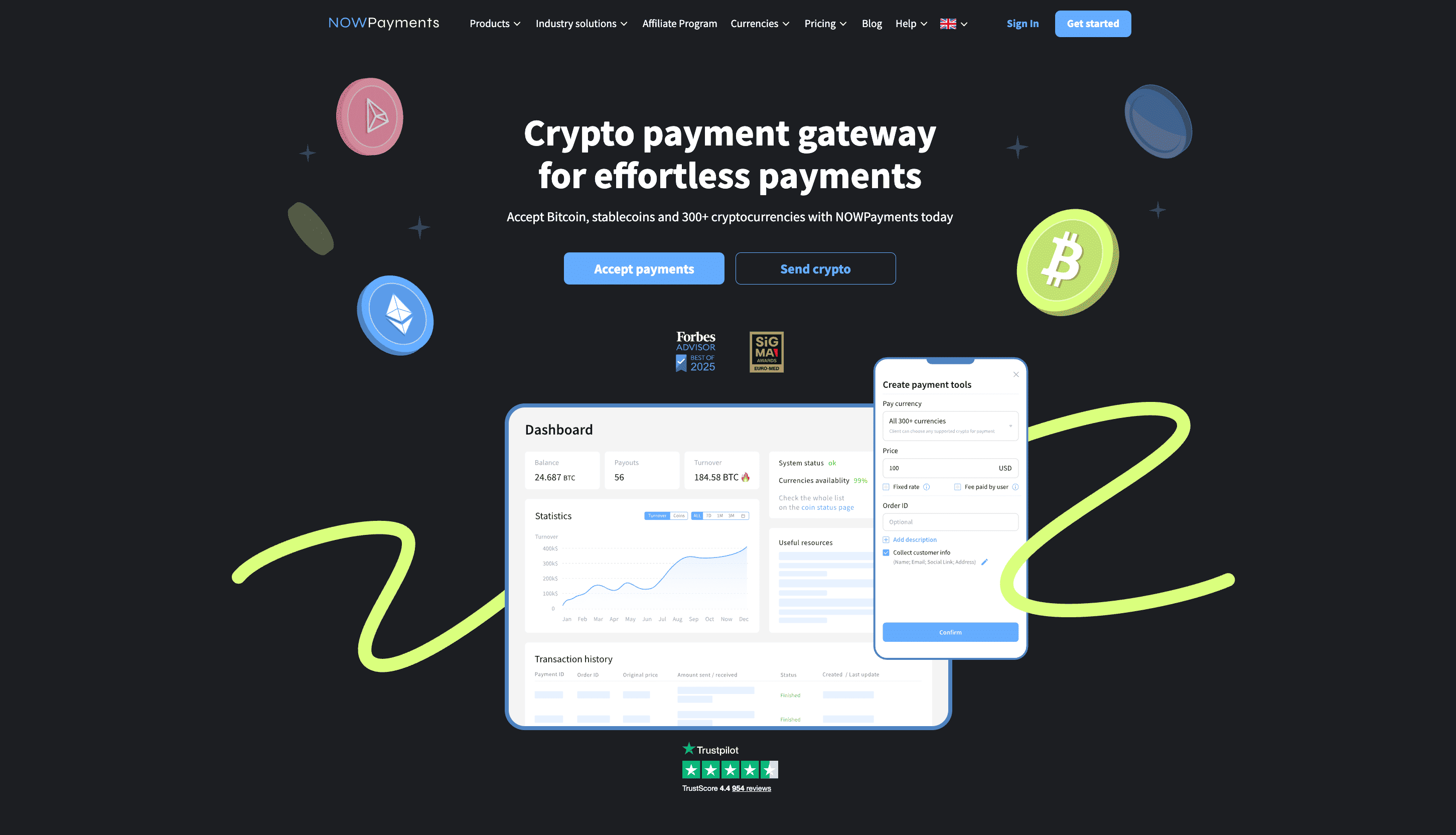
To get started, see the guide on accepting crypto on your website or explore the full NOWPayments integration guide.
FAQ
What Is the Easiest Way to Pay With Crypto?
Use a wallet that supports QR code payments. Select your cryptocurrency at checkout, scan the merchant’s QR code, verify the amount and network, and confirm the transfer.
How Do I Pay Someone via Crypto?
Open your wallet, select Send, and enter the recipient’s address and amount. Make sure both wallets use the same blockchain network, then confirm the transaction. You can track it using the transaction hash.
How Do I Accept Crypto With NOWPayments?
Create a NOWPayments account, set up your payment settings, and choose an integration method. You can accept cryptocurrency through invoices, payment links, plugins, or the API, with support for 350+ digital assets.
Is Paying With Crypto Safe?
Yes, when you use a trusted wallet and verify the payment details. However, confirmed transfers generally cannot be reversed. Check the merchant’s reputation and never share your private keys or recovery phrase.
Is Paying With Crypto Traceable?
Yes. Transactions on public blockchains like Bitcoin and Ethereum are visible through blockchain explorers. Wallet addresses, amounts, and transaction records are public, although owners’ identities aren’t always known.
Can I Pay Bills With Cryptocurrency?
Yes, if the provider accepts cryptocurrency directly or through a supported payment service. You can pay for services such as hosting or subscriptions, depending on the merchant and available payment methods.